Booking Engine · online demo
Take direct bookings on your own website
A booking engine for apartments, rooms, B&Bs and guesthouses: guests search dates, choose a unit and book in their language, while you manage availability and prices from one calendar. Try the full demo with a fictional property.
- 5 languages
- Price & availability calendar
- Simulated payments in the demo
What you can try
Guest booking page and back office, in one demo
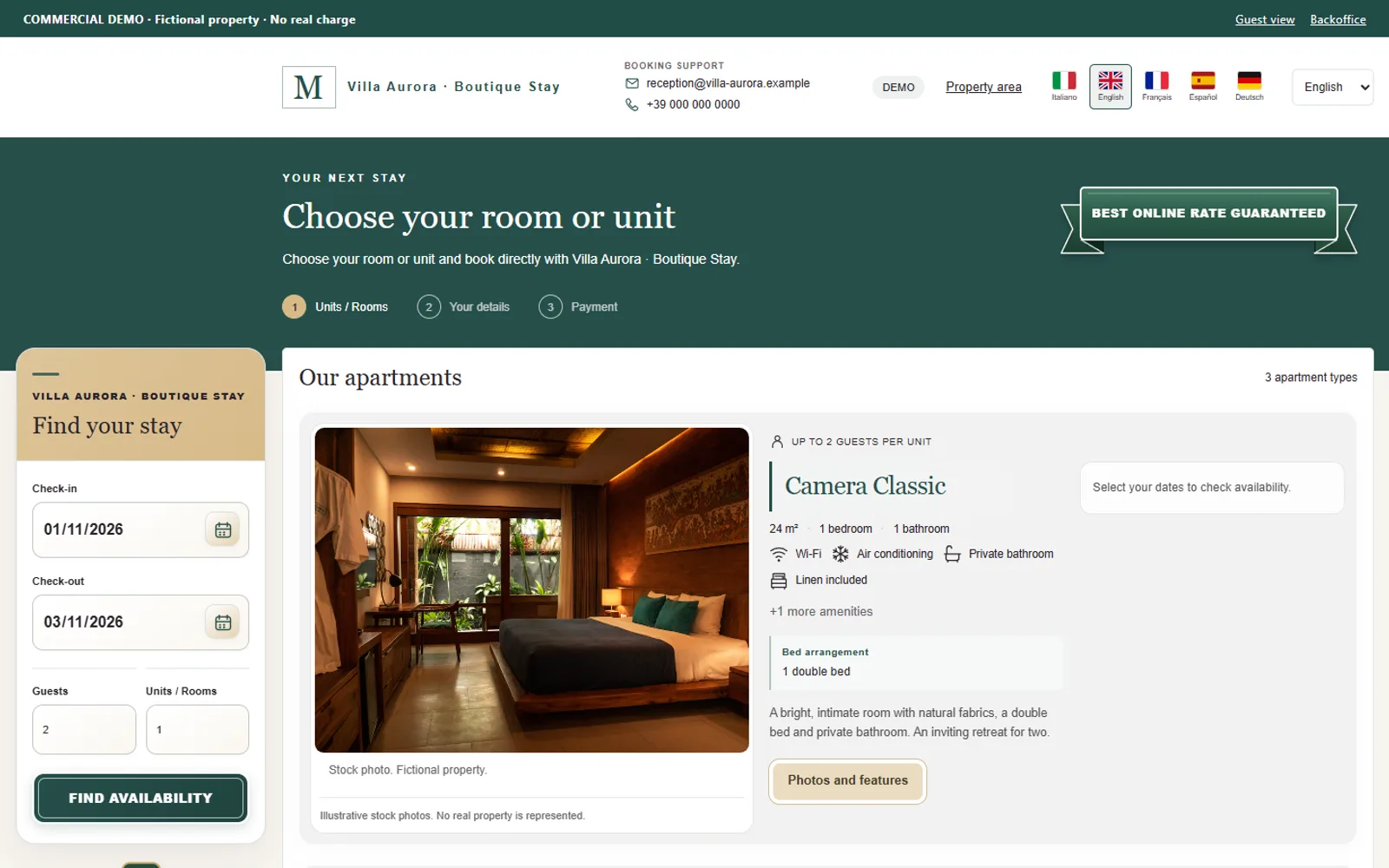
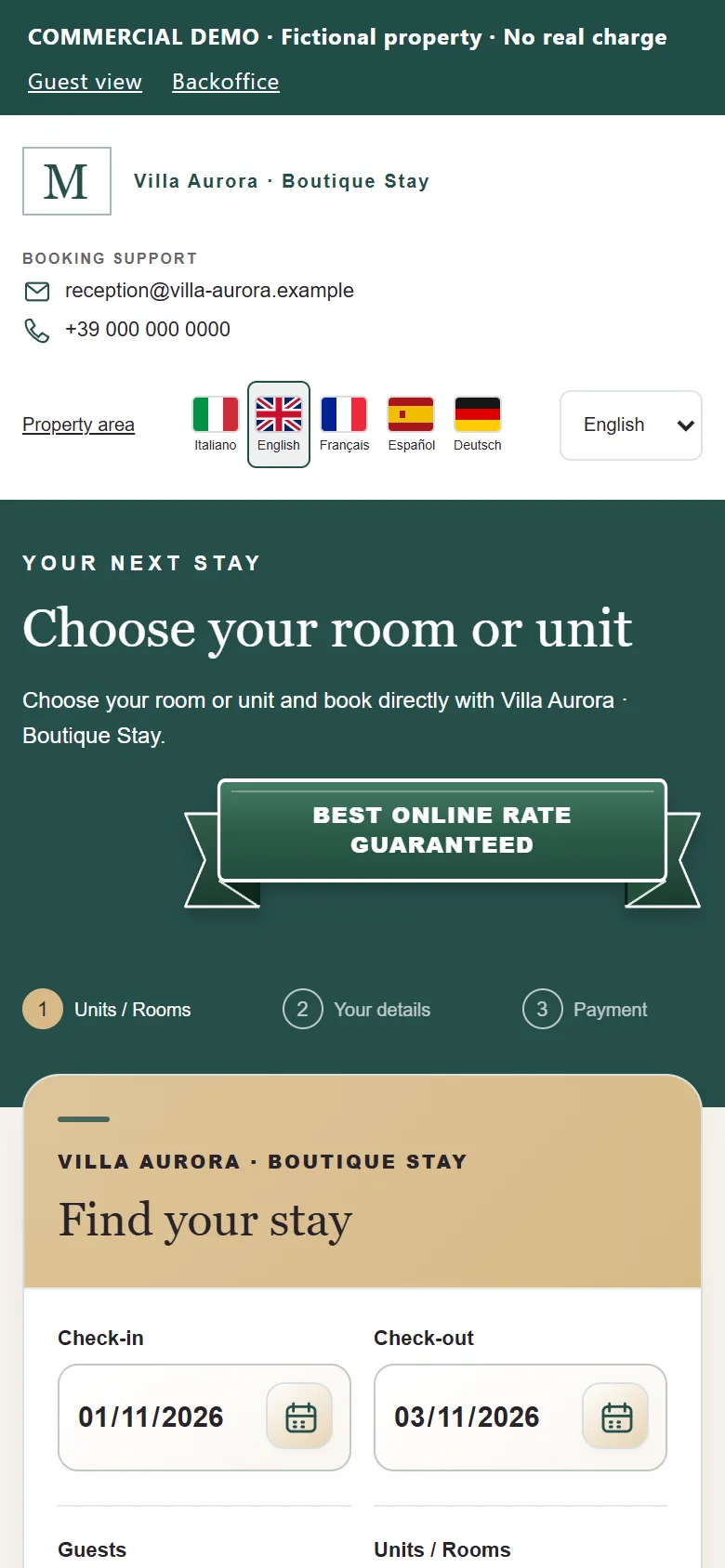
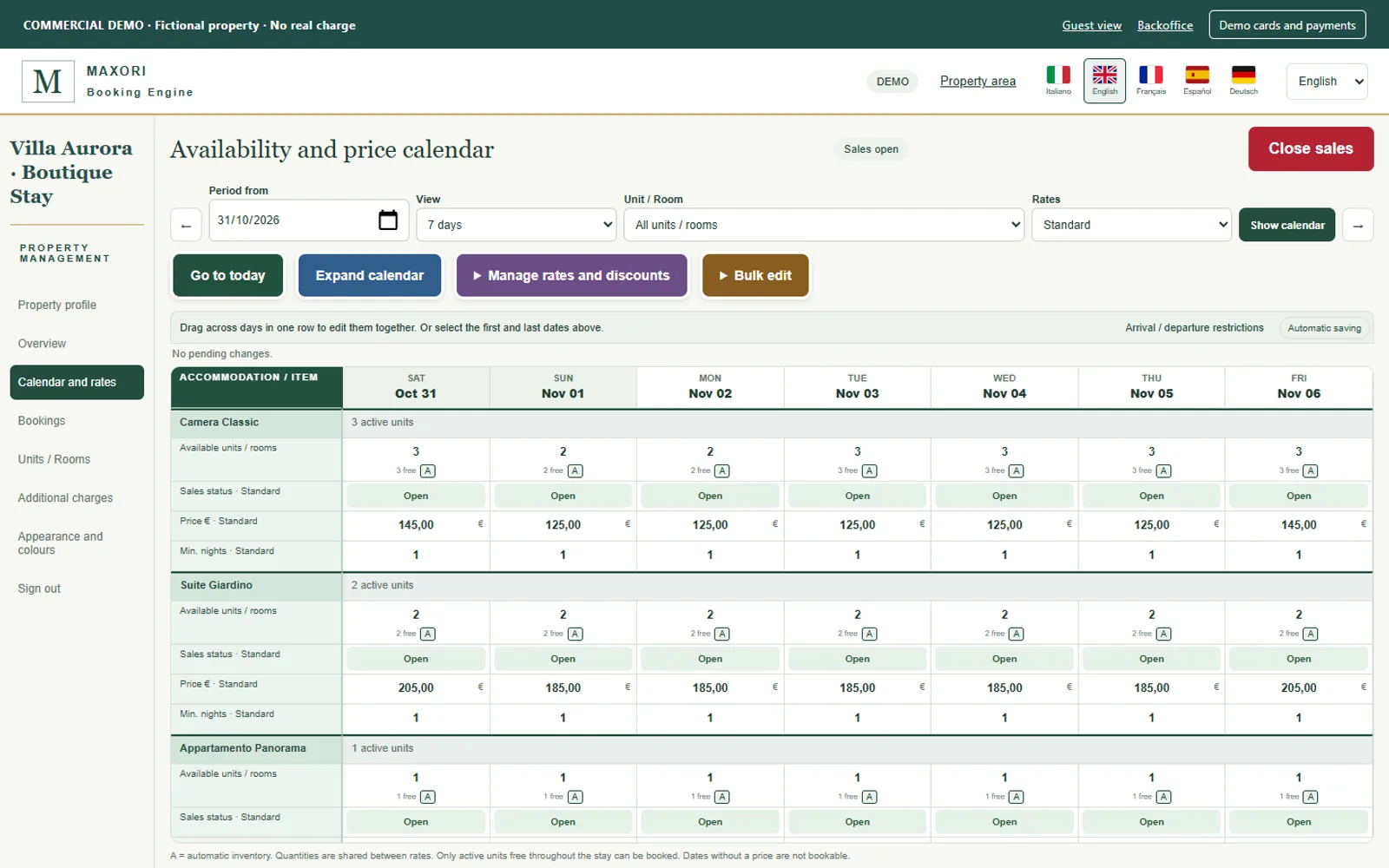
Every screen on this page is a real capture of the demo.
Search and book in five languages
Italian, English, French, Spanish and German with flags. Guests pick dates, guests and unit, enter their details and confirm.
Price and availability calendar
Prices, availability, minimum stay and arrival/departure restrictions per day, with mouse selection and bulk editing.
Units and rooms with galleries
Photo galleries, amenities, bed arrangement, conditions and summaries for every unit or room type.
Your site's colours, name and logo
The public booking page follows the colours of your website, plus your property name and logo, so guests feel they never left your site. The back office keeps the MAXORI Booking Engine brand.
Bookings and email previews
Review reservations in the back office and preview the confirmation emails the guest would receive.
Two simulated payment paths
Pay at booking, or card as guarantee with the balance collected later. In the demo nothing is charged and no card is stored.
How the demo works
From search to confirmation in three steps
- 1
Search
Choose check-in, check-out, guests and units. Available types appear with their prices.
- 2
Book
Fill in synthetic details, accept the conditions and pick the simulated payment method.
- 3
Manage
Open the back office to see the booking, change prices and availability and simulate the balance.
Clear from the start
What is ready and what comes next
The demo shows the product as it works today.
Working in the demo
- Search, booking and confirmation flow
- Calendar with prices, availability and restrictions
- Galleries, services, conditions and email previews
- Five languages and custom branding
Not active yet
- Real payments: Stripe is the planned integration and is not connected
- Several properties for several customers (the demo serves one fictional property)
- Automatic synchronisation with other channels
Real example
Already used by Max Apartments Florence
The booking engine of Max Apartments Florence, built by MAXORI, shows how the guest page looks on a real accommodation website: its own name, logo and colours, in line with the property's site.
Is anything really charged in the demo?
No. Payments and cards are simulated: no charge is made, no card number is collected or stored and no real email is sent.
Is the property in the demo real?
No. It is a fictional property with sample data and stock photos, labelled as such. Please do not enter real guest data.
How do I activate it for my property?
Activation and information on costs and prices are handled directly by the MAXORI staff: contact us and we will guide you. The demo is a presentation of the product and does not take real payments.
Who is it for?
Independent apartments, rooms, B&Bs, hotels and guesthouses that want to receive direct bookings.
See it working before you decide
Open the demo, book a stay with fictional data and look at the calendar from the host's side.