Complete guide
Booking management for small properties: the minimum system that needs to work
A small property does not need the biggest software stack. It needs a reliable answer to four questions: which unit is occupied, what happens today, what has been paid, and who on the team can see or change the booking.
Free 14-day trial · No credit card
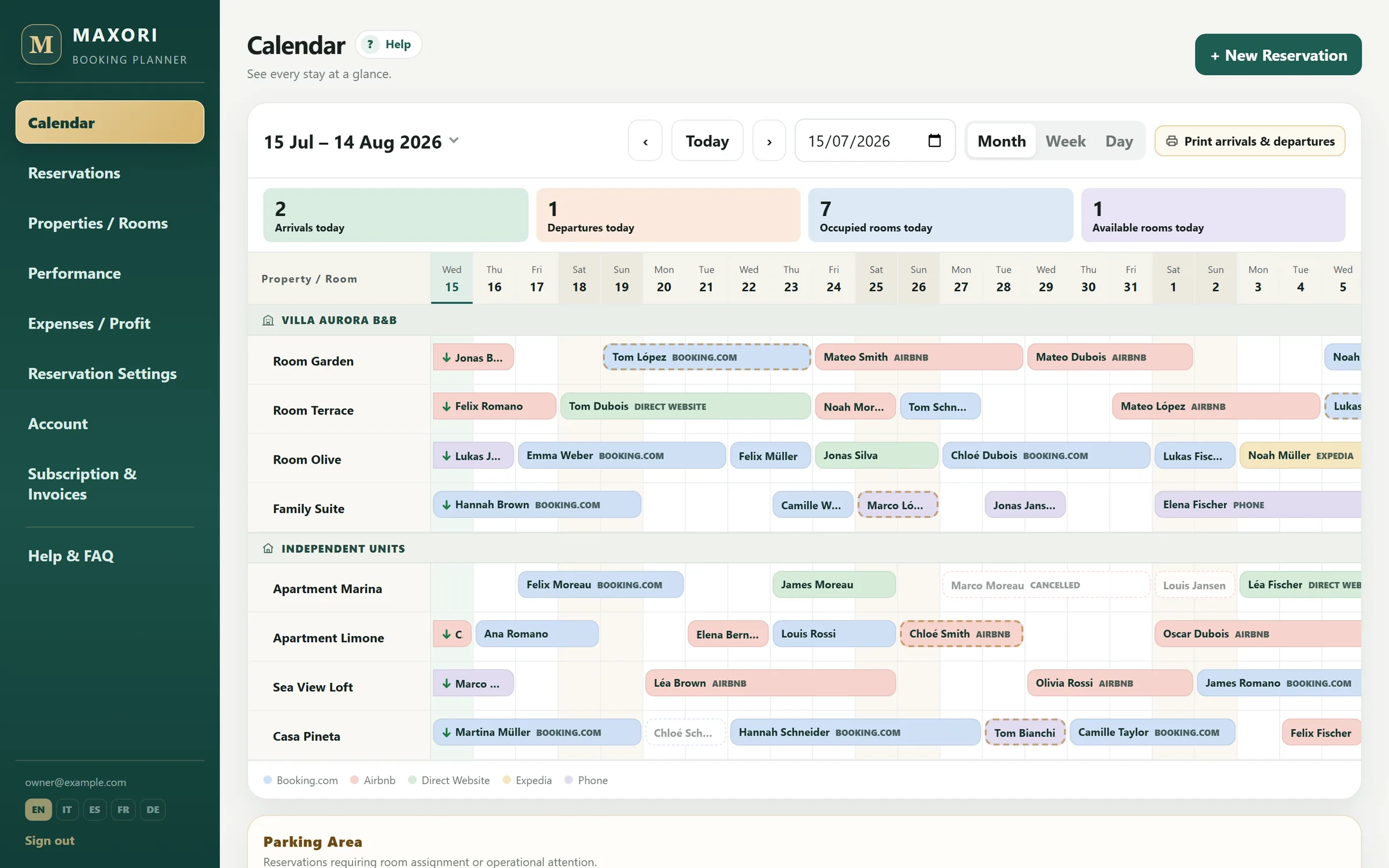
Real Planner screens with fictitious demo data.
1. One calendar for every unit
Month view supports forward planning, Week view makes busy periods easier to read, and Day view brings arrivals, departures and continuing stays to the front.
- Month for planning
- Week for close-range control
- Day for daily operations
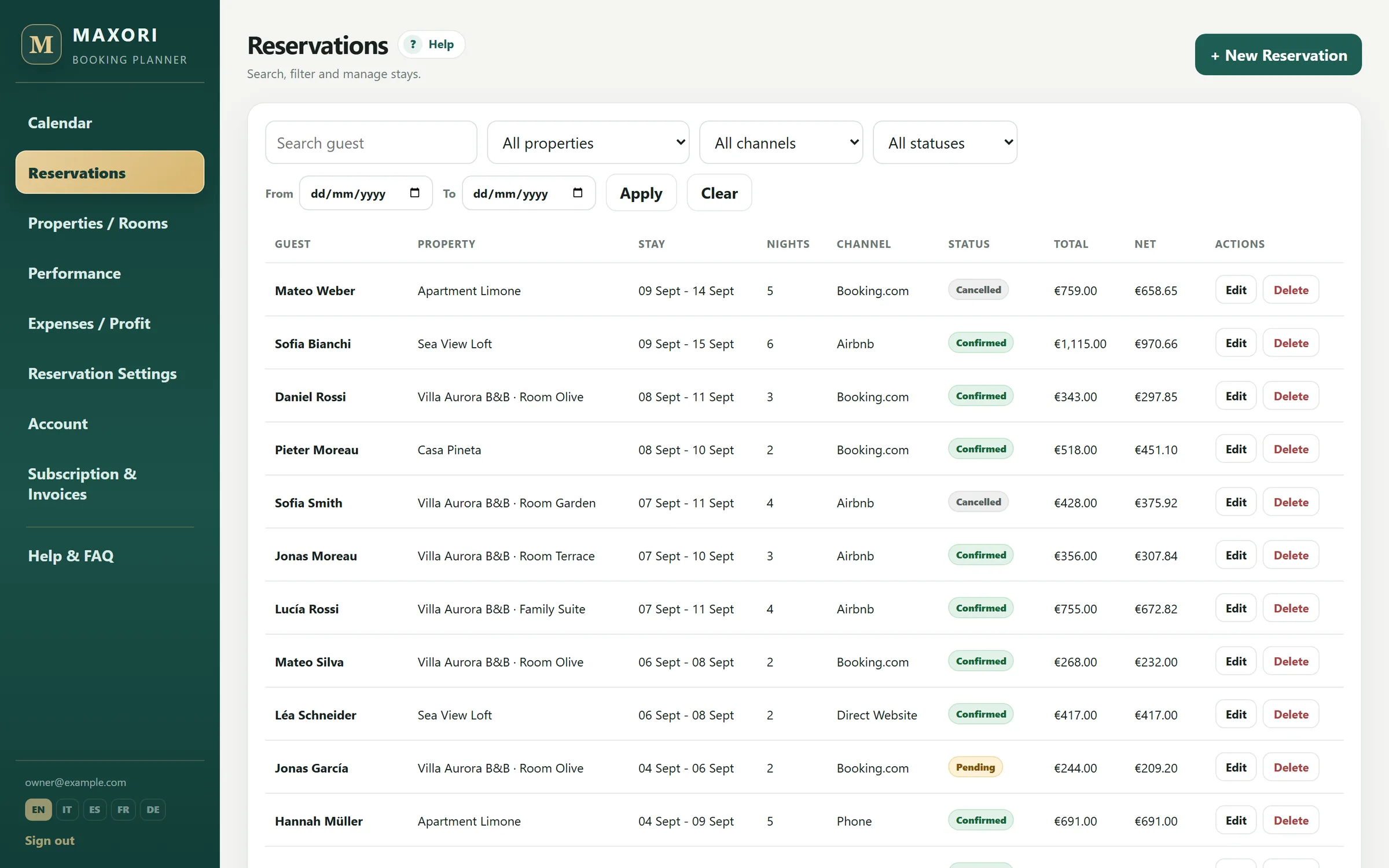
2. A reservation list for finding the individual booking
The calendar answers when a unit is occupied. The reservation list is better when a guest calls and you need to search by property, channel, status or dates, then open the record with amount, notes and payments.
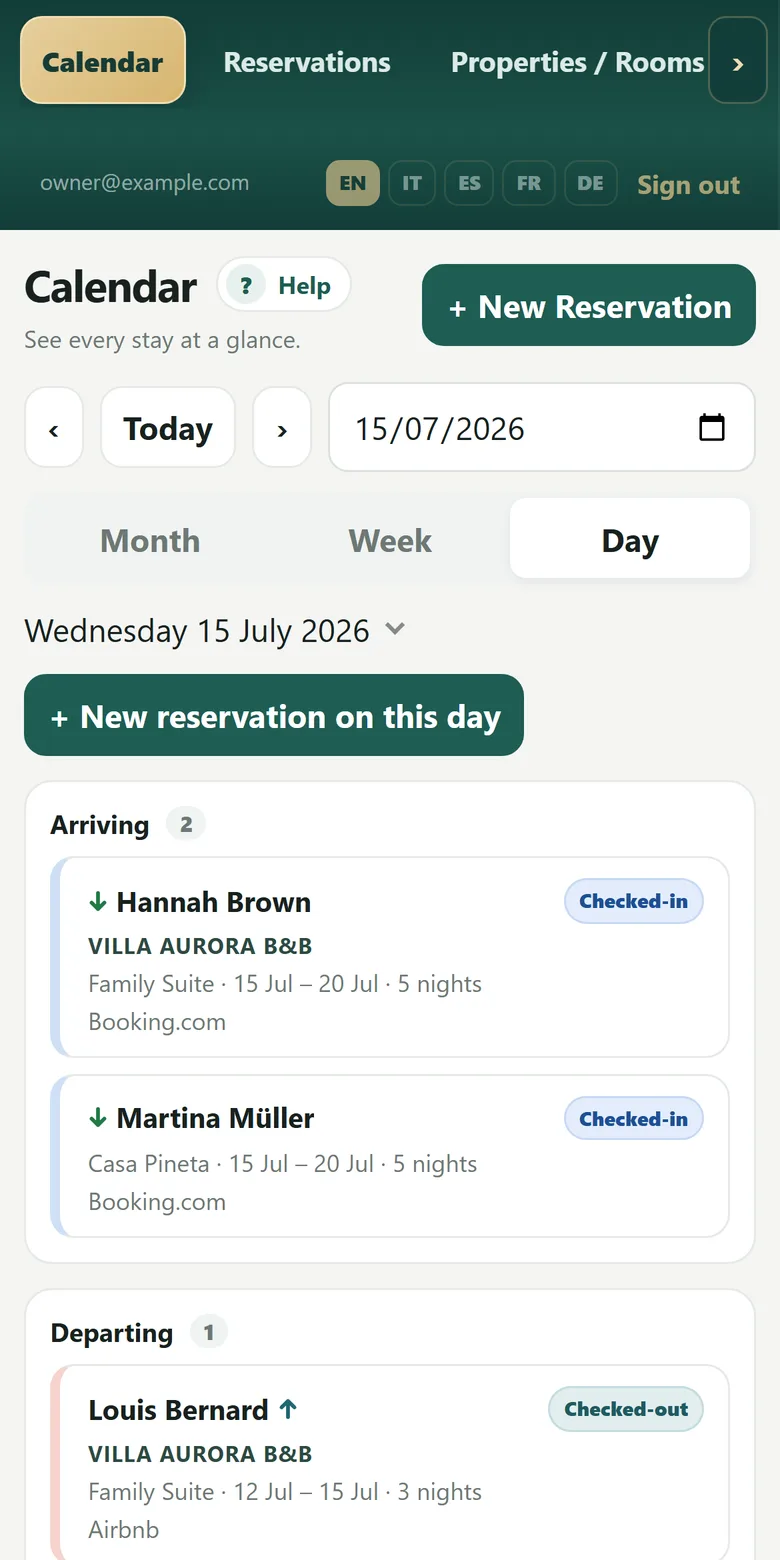
3. Today's operation should be readable in seconds
Example: 8 units, 3 departures, 2 arrivals and 3 continuing stays. Day view separates those groups and can be printed without amounts for operational use.
4. Keep booking source and money in context
Recorded deposits, balances and refunds stay with the booking. Channel and commission data help show what remains after distribution cost. MAXORI tracks payments; it does not charge the guest card.
5. Share one data set instead of several copies
Owner, Manager, Reception and Basic roles let people work on the same Planner with different permissions instead of maintaining a private calendar, a reception sheet and phone notes.
When this is not enough
- If automatic OTA availability/rate sync is essential, you need a channel manager; MAXORI does not provide it.
- If you need guest invoicing, regulatory guest filing or housekeeping automation, use dedicated tools alongside or instead.
Is MAXORI a full PMS?
No. It is a booking planner focused on bookings, recorded payments, expenses and performance.
Does it block overlapping bookings?
Yes, when both bookings are stored in the Planner. It cannot see inventory held only on an external OTA.
Can I manage multiple properties?
Yes. Standard plans support multiple properties and up to 30 units.
Can I try it without a card?
Yes. The free trial lasts 14 days.
Try MAXORI with your own bookings
Free 14-day trial on the real Planner, no credit card. Add a few bookings and see whether the workflow fits your operation.