Practical guide
Move from Excel to a booking planner: turn flexible cells into structured bookings
The useful move is not abandoning spreadsheets because they are old. It is stopping the monthly rebuild of calendars, formulas and conventions once day-to-day booking work needs a shared structure.
Free 14-day trial · No credit card
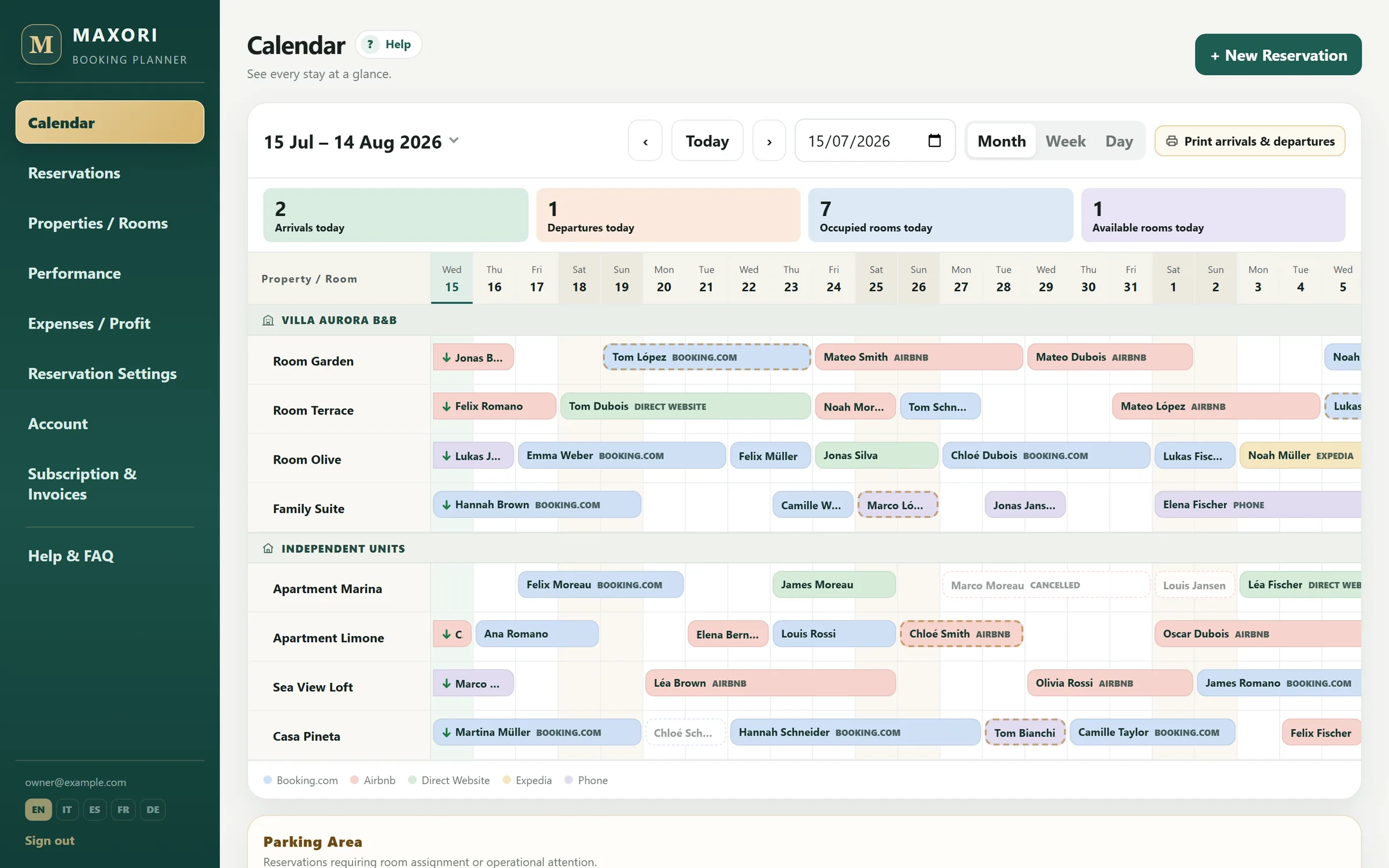
Real Planner screens with fictitious demo data.
1. Start with future bookings
Create properties, units and channels first. If your bookings are already in a spreadsheet, save it as CSV and use Import CSV in the Planner: you match columns, units and channels once, check the preview (errors, duplicates, overlaps) and confirm. Bookings are imported; payments and expenses are not. Often it is enough to bring in future bookings and keep the old spreadsheet as a historical archive.
2. Replace free-form columns with stable booking fields
Each booking keeps dates, unit, channel, status, amount, notes and recorded payments in the same schema, so a new team member does not have to learn what every colour or column means.
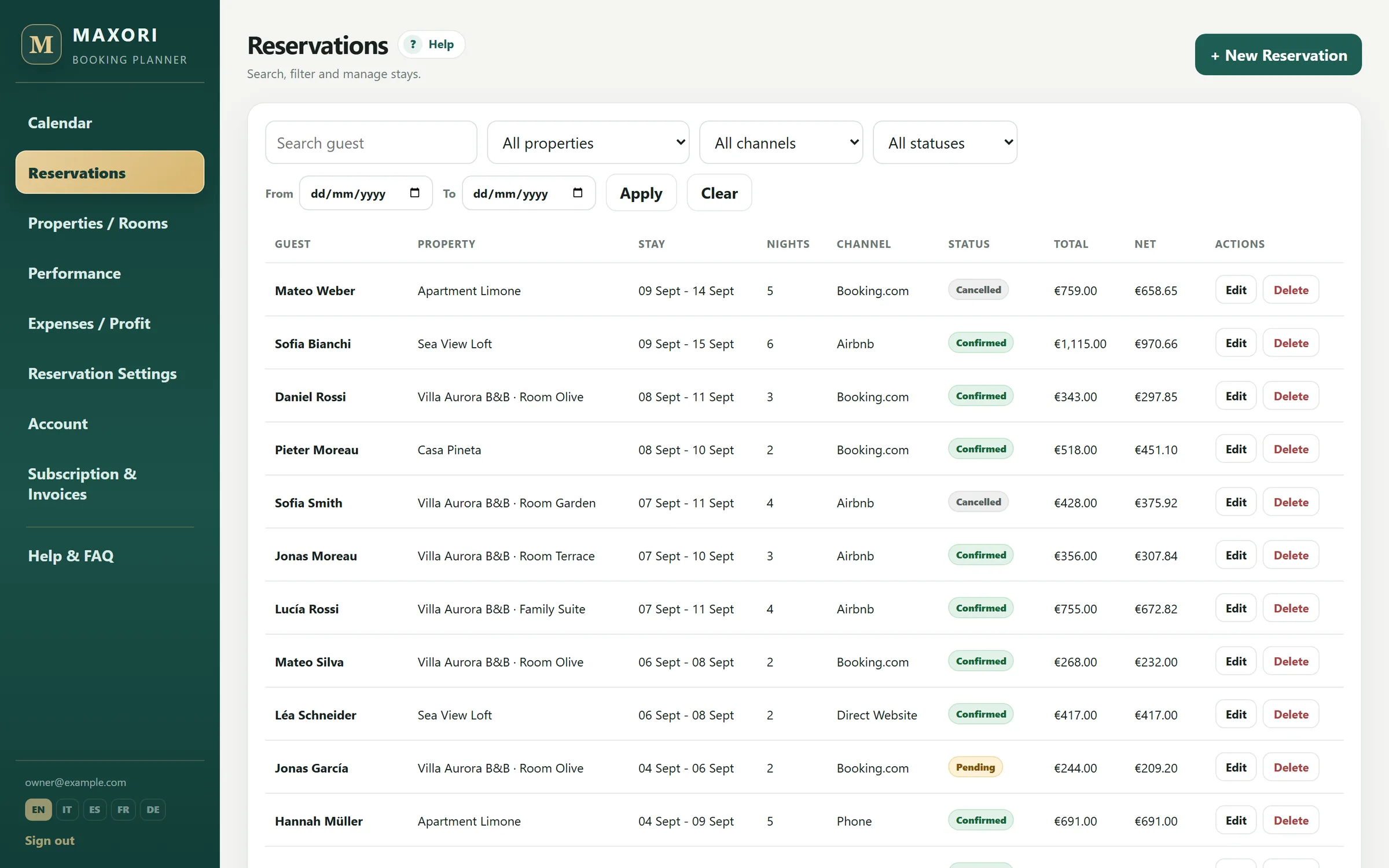
3. Let the system catch simple errors
If two bookings stored in MAXORI overlap on the same unit, the second save is blocked. The Planner cannot know about bookings that exist only on an OTA.
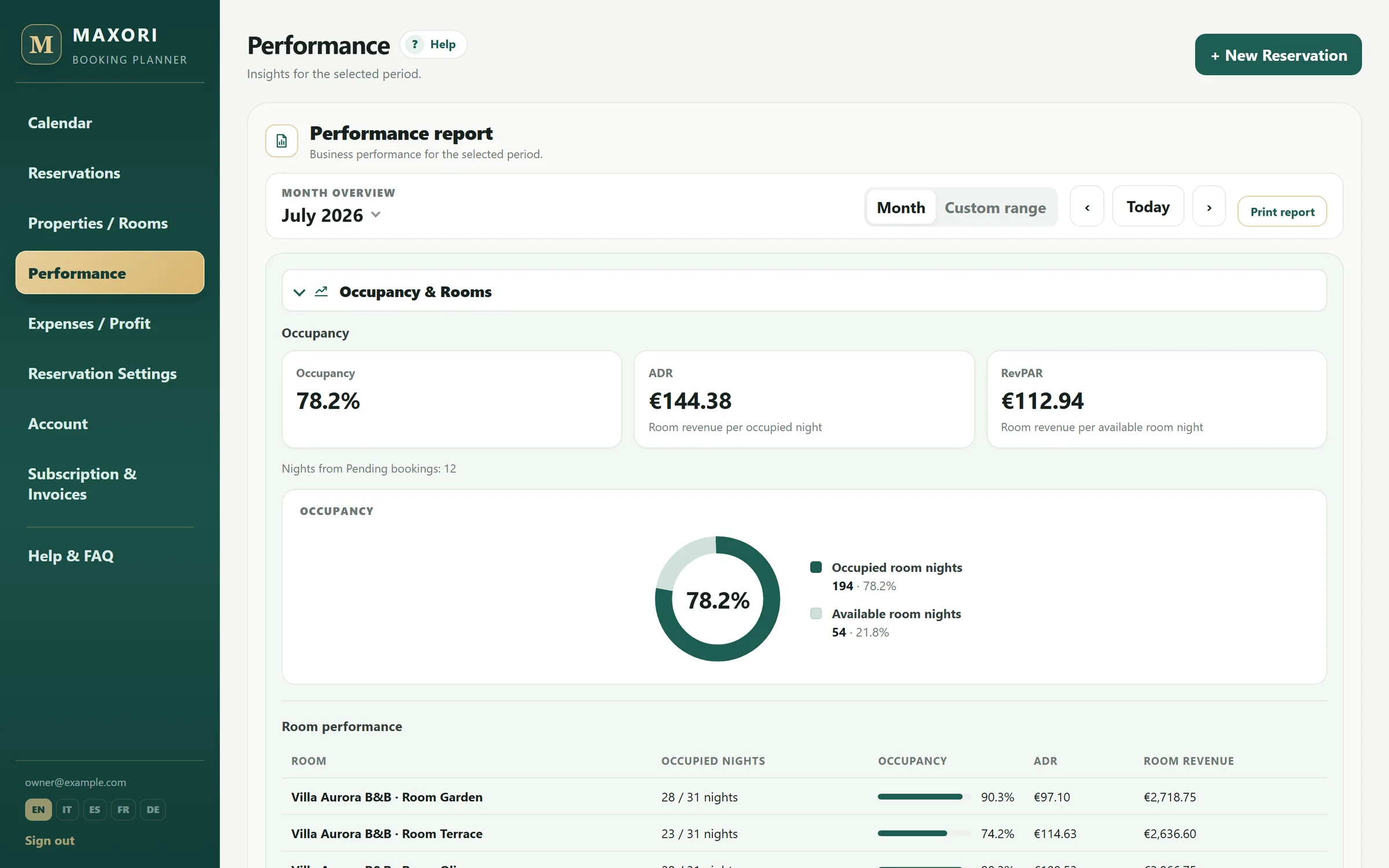
4. Replace month-end formulas with reports
Occupancy, ADR, RevPAR, commissions, expenses and management profit come from the recorded data rather than copied monthly formulas.
5. Keep using Excel if it still solves the job
A spreadsheet may be enough for one operator with low booking volume. That is why MAXORI also offers a free template. The Planner becomes useful when sharing, error control and reporting start creating repeated work.
Before you switch
- Bookings can be imported from a CSV file (up to 500 per file), with a preview before you confirm; payments and expenses are recorded in the Planner afterwards.
- MAXORI does not sync OTAs. If distribution automation is the main problem, use a channel manager.
Can I import my spreadsheet?
Yes, by saving it as CSV. Set up units and channels, then use Import CSV: you match the columns, check the preview and confirm. Bookings are imported; payments and expenses are not.
Do I lose my booking history?
No. Keep the old file as an archive and start the Planner from a chosen date.
Why not just use a shared Google Sheet?
Structured booking fields, internal overlap blocking and built-in reporting reduce the conventions and formulas you have to maintain.
Can I download a free booking spreadsheet first?
Yes. The XLSX template is available without registration.
Try MAXORI with your own bookings
Free 14-day trial on the real Planner, no credit card. Add a few bookings and see whether the workflow fits your operation.