Readable numbers
Booking reports that explain what is happening in the property
Month-end should not mean reconstructing the business from calendars, bank movements and booking sites. MAXORI builds reports from the bookings you record.
Free 14-day trial · No credit card
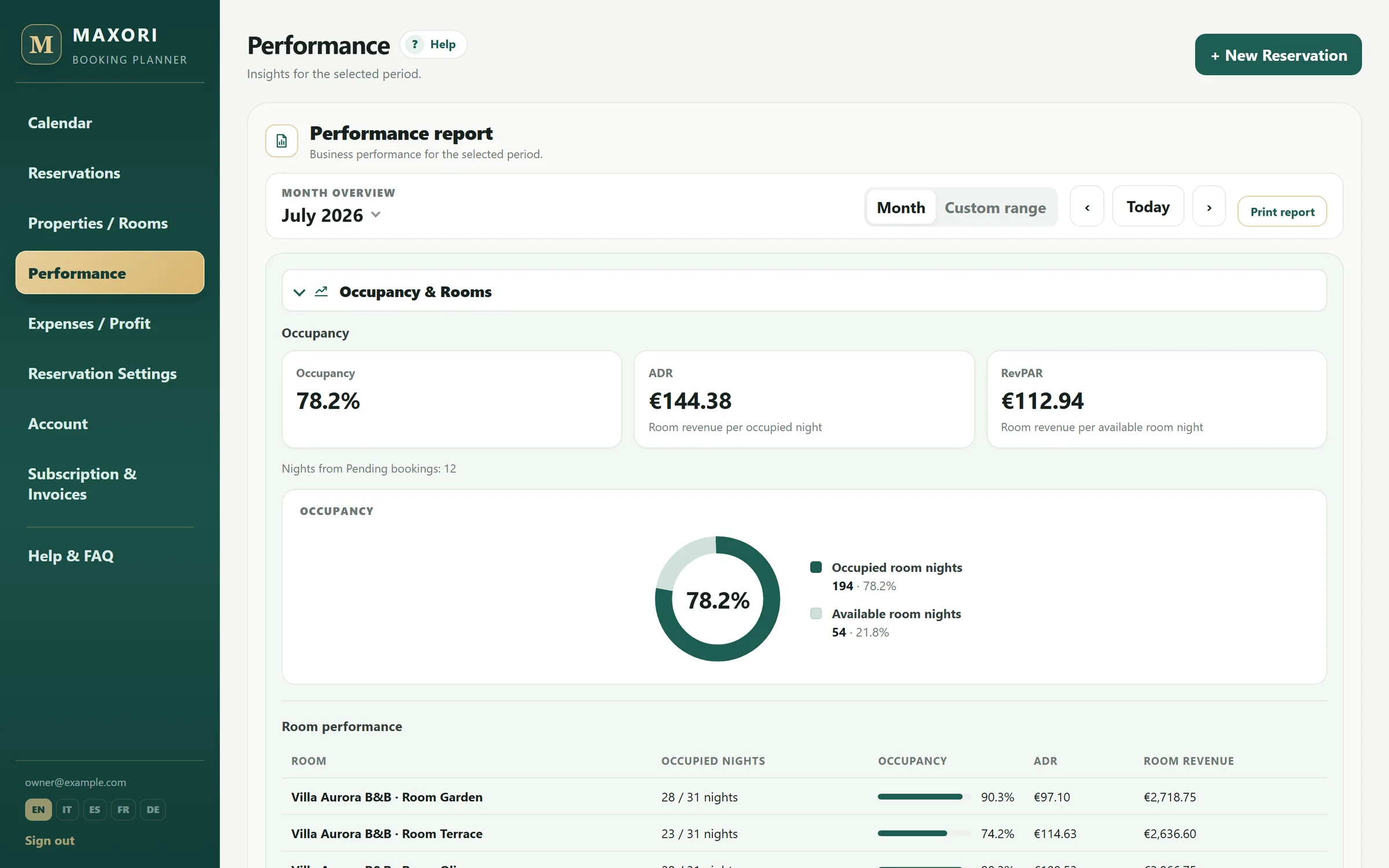
Real Planner screens with fictitious demo data.
Performance by period
Review occupancy, ADR and RevPAR by month or period, including per-unit analysis.
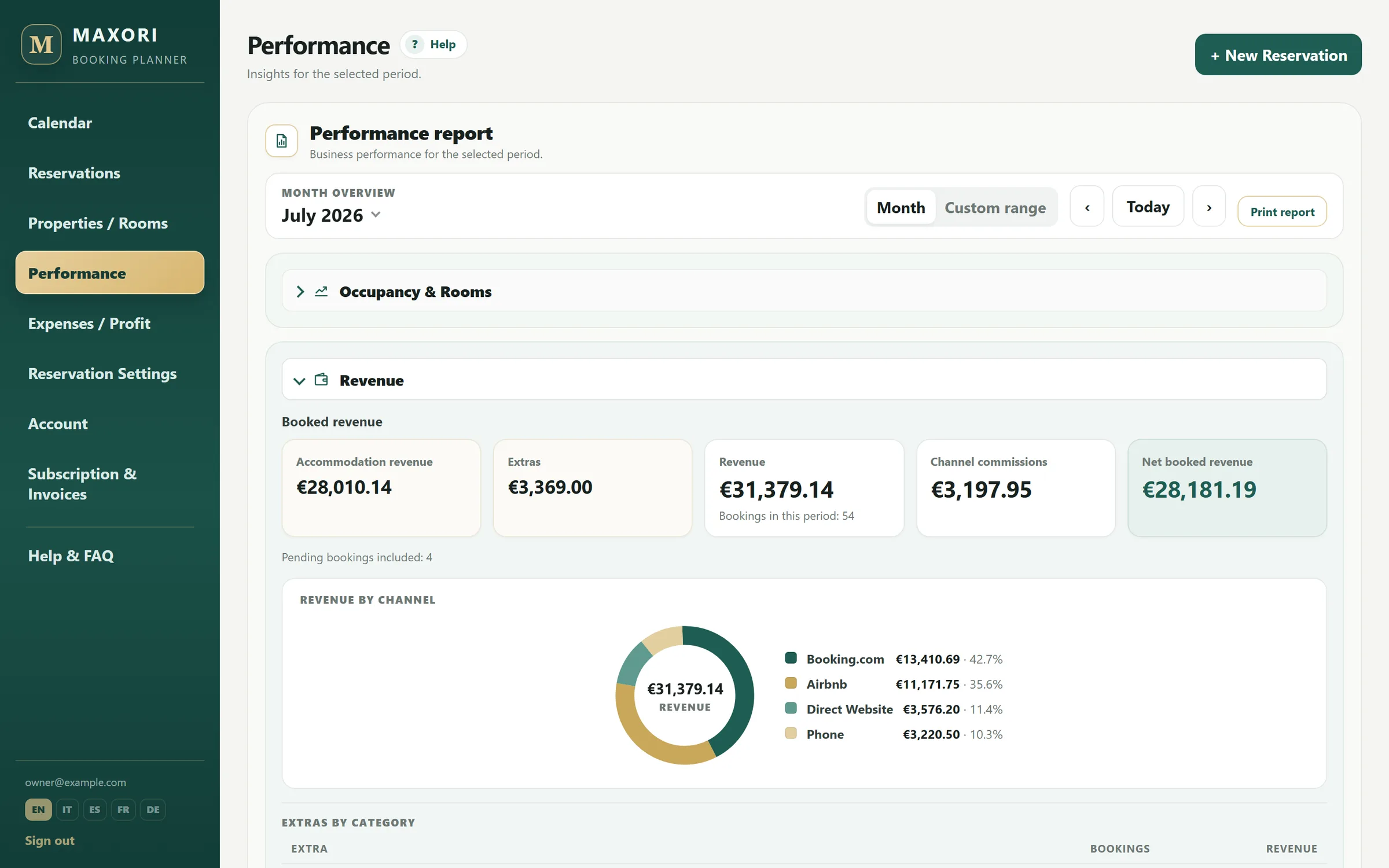
Revenue and commissions by channel
See which channels generate revenue and what their commissions cost.
Expenses and net result
Bring expenses into the same view and print reports or save them as PDF from the browser.
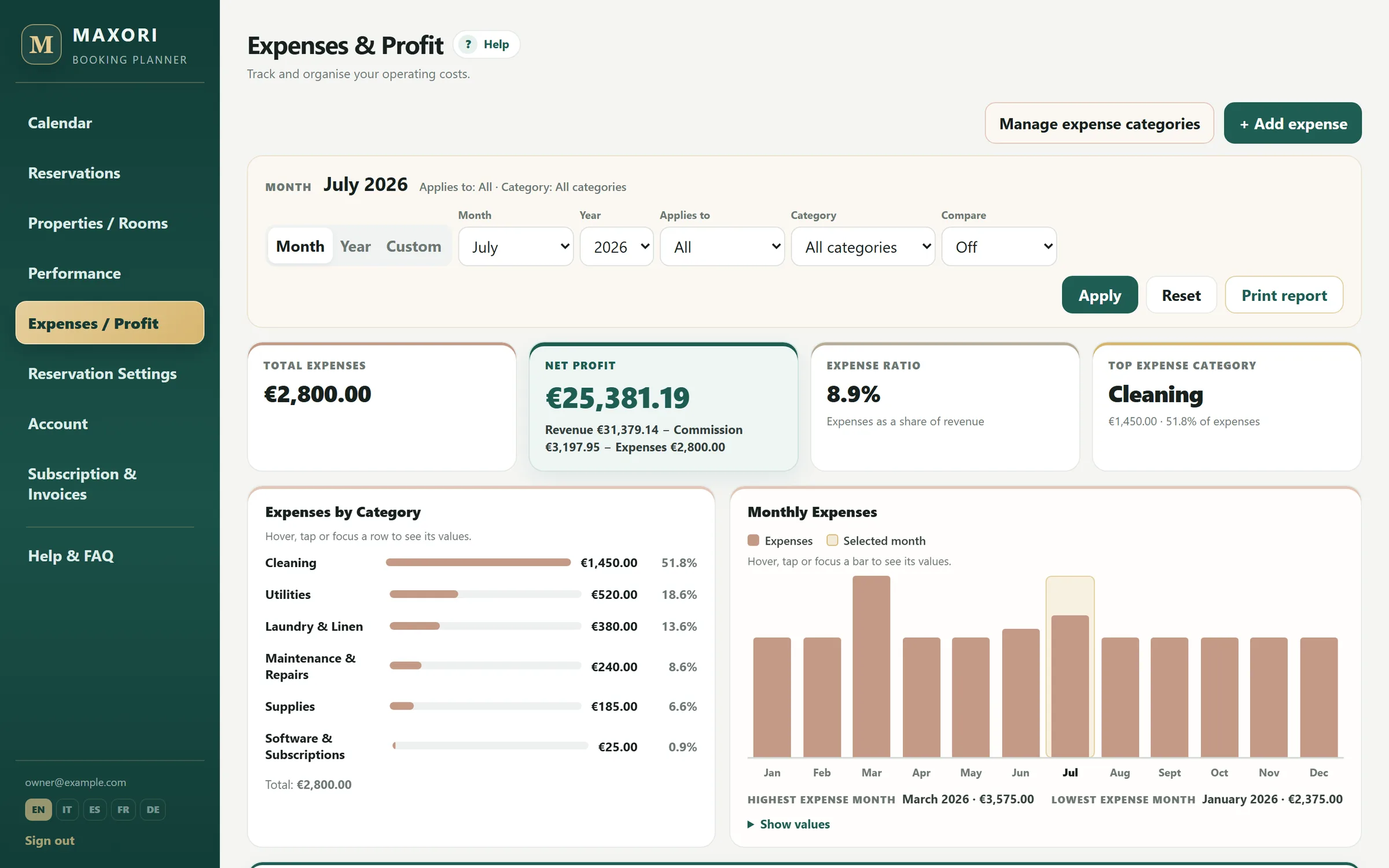
Example: the numbers you want at month end
At month end you can read revenue, commissions, expenses, net profit, occupancy, ADR and RevPAR together. Filtering by unit helps show whether weaker performance comes from price, occupancy or costs.
Test it with real work
Use it for 14 days with your bookings
Create your units, enter a few real bookings and see whether the workflow is clearer than the system you use today.
Free 14-day trial · No credit card
What MAXORI does not do
- Reports can be viewed and printed/saved as PDF; there is no Excel or CSV export.
- MAXORI does not produce tax accounts, guest invoices or automated revenue forecasts.
Which KPIs are included?
Occupancy, ADR and RevPAR, together with revenue, commissions, expenses and management net profit.
Can I analyse one unit?
Yes. Reports can be read by period and unit.
Can I export reports to Excel or CSV?
No. Reports are designed for on-screen review and print/PDF.
Does MAXORI forecast future revenue?
No. It reports results from recorded data and does not provide automated forecasting.
Try it with your own data
Free 14-day trial on the real Planner, no credit card. Enter a few bookings and test the workflow before deciding.