Property performance
Occupancy, ADR and RevPAR software that starts with your bookings
If you enter bookings in one place and then rebuild occupancy, ADR and RevPAR in a spreadsheet at month end, you are maintaining two systems. MAXORI uses the bookings already in the Planner to calculate those figures.
Free 14-day trial · No credit card
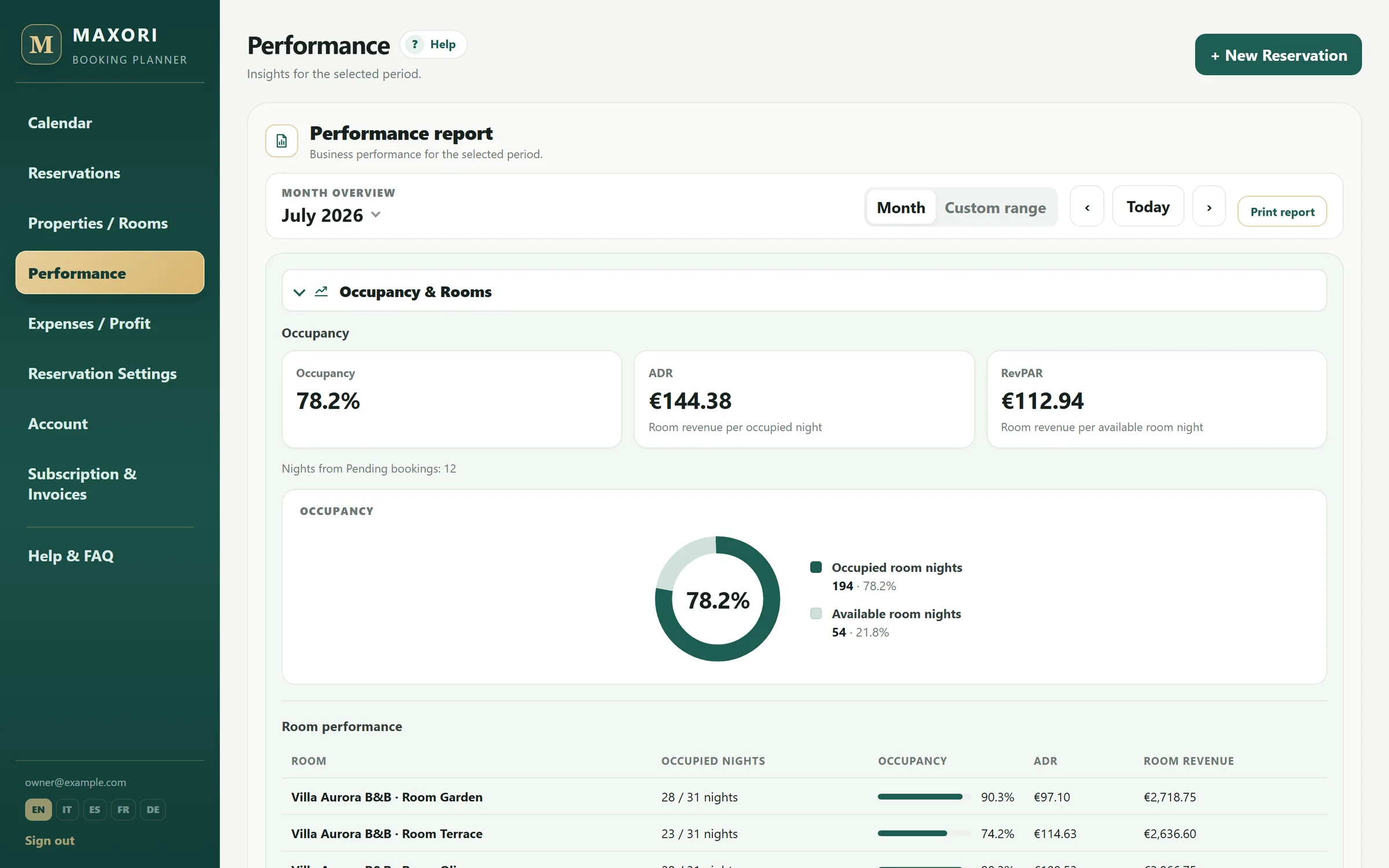
Real Planner screens with fictitious demo data.
Occupancy comes from the calendar you use
Recorded units and stays determine available and sold nights, so the KPI does not depend on a second manually maintained calendar.
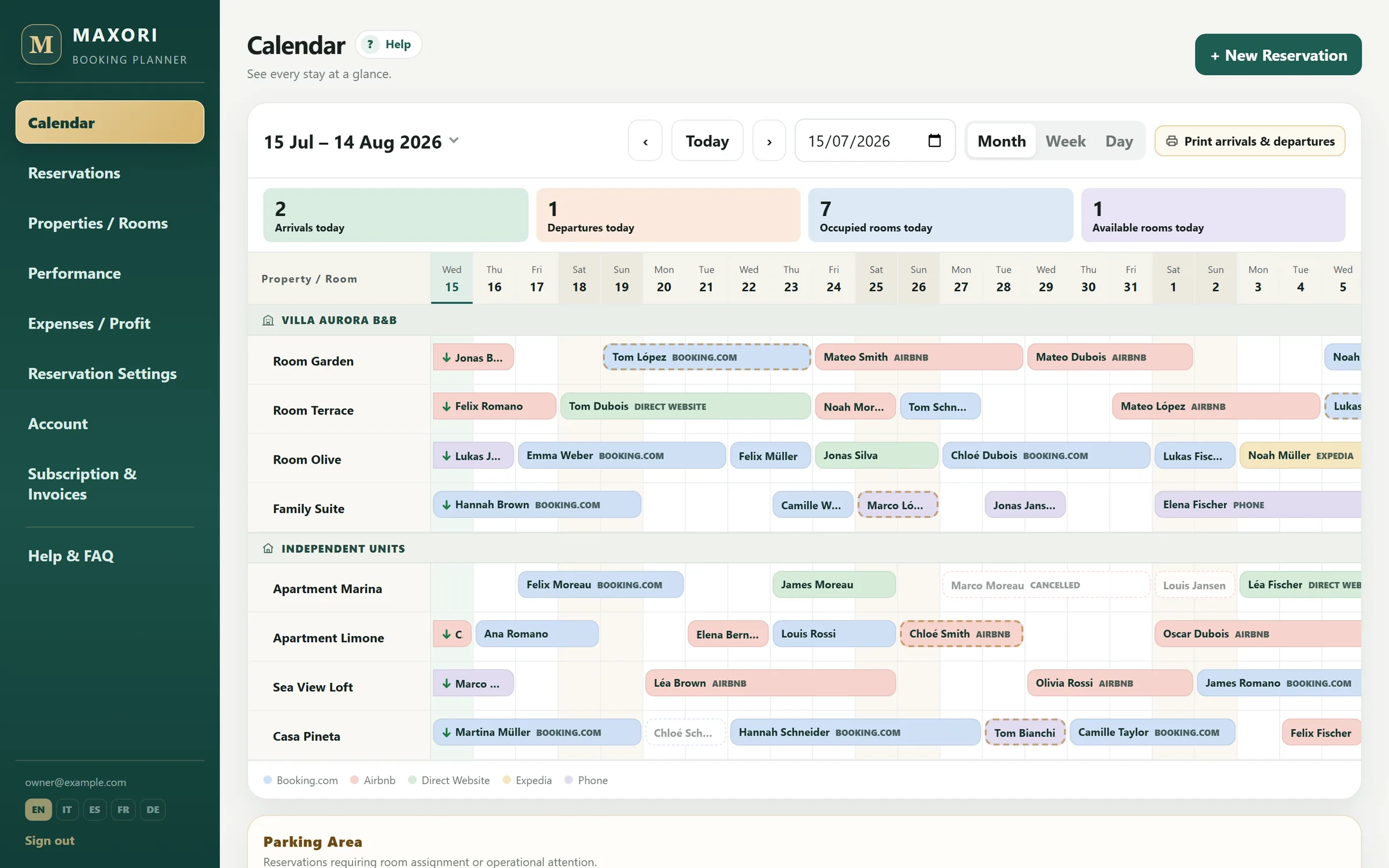
ADR and RevPAR in the same report
Review average daily rate and revenue per available night for a month or any selected period.
Add commissions and expenses for the net picture
Channel commissions and property expenses turn operational KPIs into a wider view of net revenue and profit.
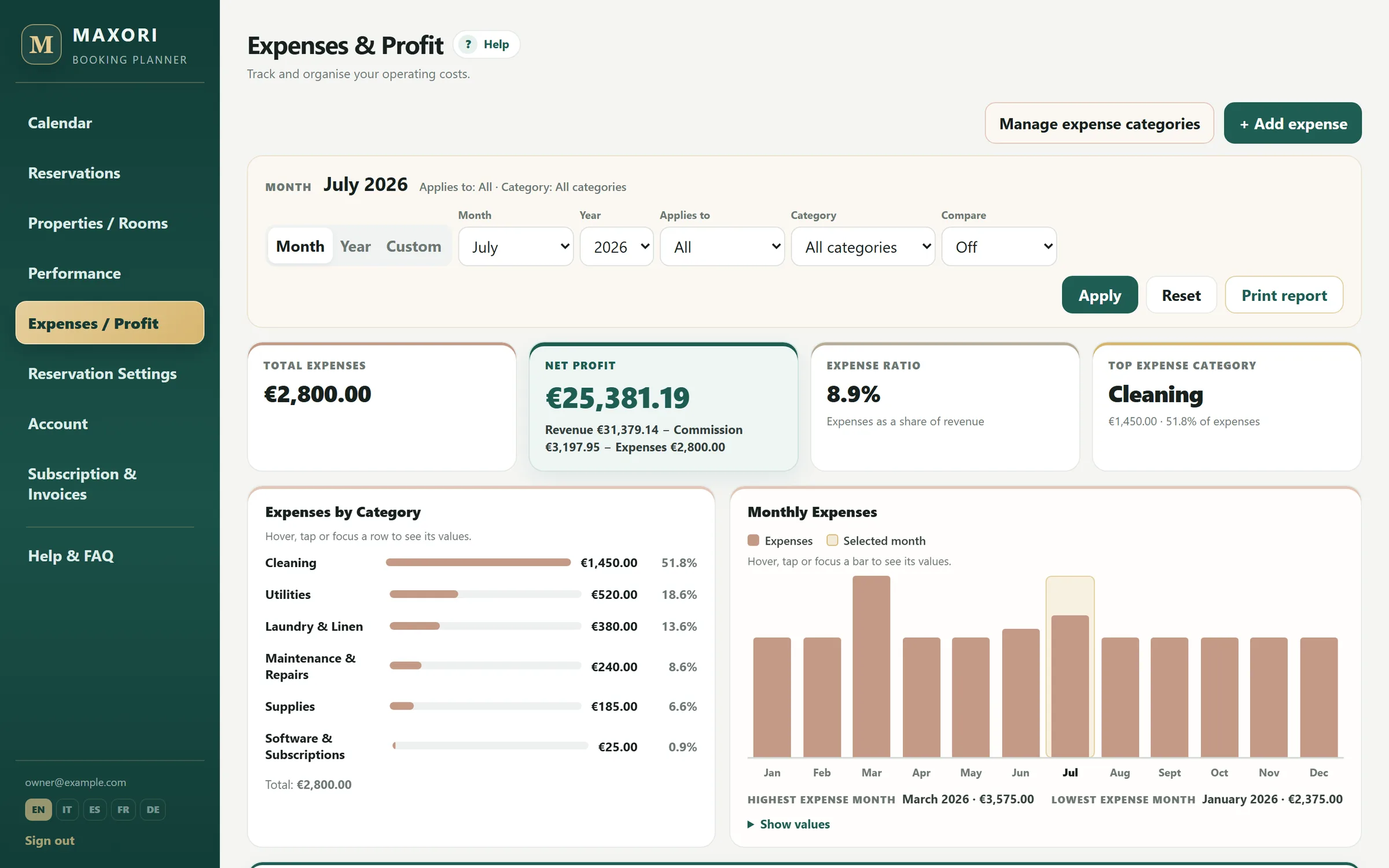
Look at individual units, not only the average
Reports can be reviewed by unit and period so you can compare rooms or apartments rather than relying on one property-wide average.
From manual calculation to automatic reports
Add a few bookings and watch the KPIs appear
The trial lasts 14 days. If you only need a one-off calculation, use the free occupancy, ADR and RevPAR calculator instead.
Free 14-day trial · No credit card
What the numbers depend on
- The KPIs depend on the bookings and values you record in MAXORI.
- MAXORI does not import OTA or external PMS data automatically.
- It is not a revenue-management system and does not recommend rates.
How does MAXORI calculate occupancy?
From sold nights compared with the available nights of the units recorded in the Planner.
How does it calculate ADR?
From room revenue divided by nights sold in the selected period.
How does it calculate RevPAR?
From room revenue divided by available nights, equivalent to ADR multiplied by occupancy.
Can I see results by room or unit?
Yes. Reports support views by unit and period.
Does it import data from booking sites?
No. Results come from bookings entered in MAXORI.
Stop rebuilding the same KPIs at month end
Try the Planner with real bookings for 14 days and see whether the built-in reports replace your second spreadsheet.